

A column display looks simple in a rendering. In the real space, it becomes a test of geometry, pixel pitch, module alignment, and content design. One uneven seam or poorly mapped video loop can make the whole installation look improvised.
A flexible LED screen can wrap around a column, but a clean result depends on more than whether the modules can bend. The cabinet design, curvature, content layout, and service access all decide whether the final display feels polished or patchy.
Start With the Shape, Not the Screen
Columns are rarely as friendly as they look. Some are perfectly round. Others are square, oval, tiled, wrapped in metal, or interrupted by sprinklers, signs, and power outlets. Before choosing display hardware, the project team should measure the column circumference, height, viewing angles, and any surface irregularities.
For indoor retail or corporate spaces, a creative system such as a creative indoor LED display can make sense when the brief includes L-shapes, pillars, bevels, or other non-flat forms. The goal is not simply to bend the screen. The goal is to make the screen match the architecture without awkward gaps.
Why Patchy Column Screens Happen
Patchiness usually comes from three issues: bad alignment, wrong pixel pitch, and content that was designed for a flat rectangle.
Pixel pitch is the distance between LED pixels, measured in millimeters. A smaller pitch usually looks smoother at close range, which matters in stores, hotel lobbies, galleries, and transportation hubs where people may stand only a few feet from the column.
Alignment is just as important. If modules are pulled unevenly around the curve, the display can show visible stepping, shadow lines, or small brightness differences between sections. This is especially noticeable on light backgrounds, slow gradients, and product close-ups.
The third issue is content. A logo placed across a tight curve may look distorted from most angles. Text that wraps around the back side of a column may be unreadable. Column content should be designed for movement: short loops, bold images, large type, and clear visual zones.
The Content Should Work From Several Angles
Unlike a flat video wall, a column screen is not viewed from one perfect front position. People walk around it, pass it from the side, and catch only part of the message at a time.
That makes content planning more important. A good column loop often repeats the key visual on multiple sides, avoids long sentences, and uses motion to pull attention around the surface. In a retail store, the column might show a product family, color story, or campaign texture rather than a detailed product sheet.
According to the U.S. Department of Energy, LED technology can offer major efficiency advantages compared with older lighting technologies, but real-world performance still depends on operating conditions. For column displays, that means brightness, cooling, run time, and maintenance access should be part of the design conversation from the beginning.
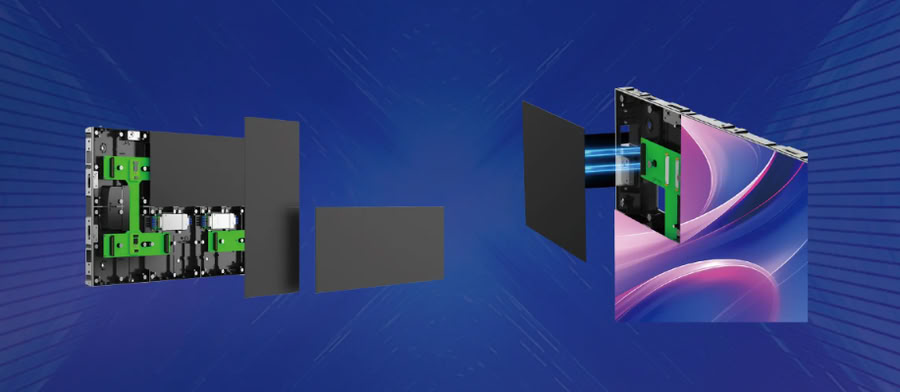
Maintenance Is Part of the Visual Quality
A column screen may look great on day one and become frustrating later if a module is hard to replace. Service access, spare modules, and cable routing should be planned before the decorative finish goes in.
For projects where the column is part of a larger creative indoor display system, reviewing the BIM Plus-X Series is a practical starting point because its splicing approach is relevant to pillars and other shaped installations.
A flexible LED column can look seamless, but only when the hardware, surface, and content are treated as one design problem.